


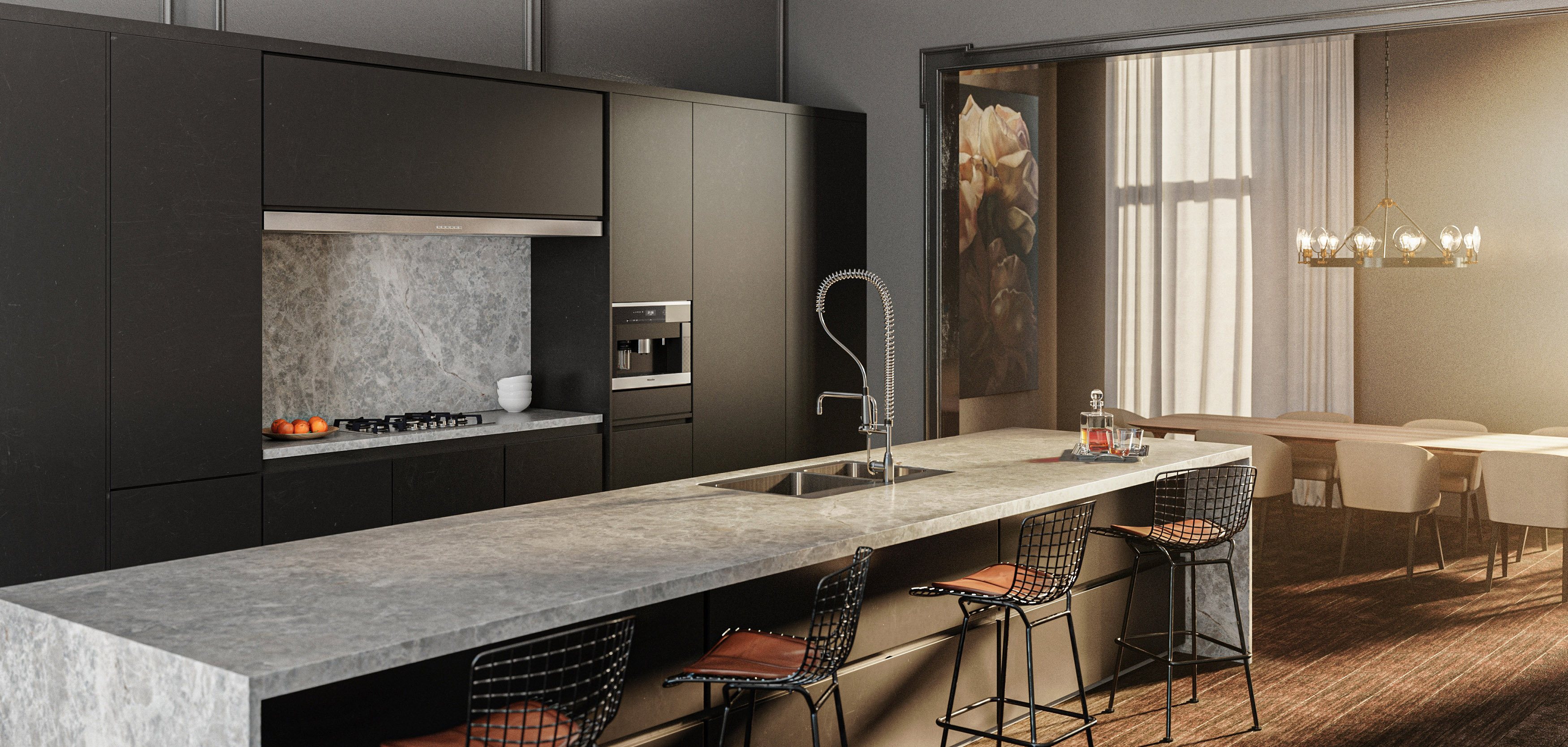
What is 3D rendering?
3D rendering is the process of turning a digital 3D model into a highly detailed 2D image. It takes your design data and calculates how light, shadows, and materials should appear in the real world to create images that realistically depict an unbuilt space.
In professional practice, architects and developers use these images with a realistic appearance to test design choices and show clients exactly what a finished building will look like. By making a concept look tangible, this phase of architectural visualization removes guesswork, helps secure investor funding, and speeds up project approvals.
7 rendering techniques professionals use in 2026
Rasterization
Rasterization is a foundational technique in computer graphics, valued for its speed. The rendering software projects 3D shapes onto a 2D plane, polygon by polygon, instantly converting them into pixels. It then assigns color values through texture mapping and basic shading techniques. Because it processes data so quickly, it is the standard method for applications requiring instant visual feedback.
How It’s Best Used
- Real-Time Navigation: It powers real-time rendering environments, letting users fluidly explore large architectural models or virtual reality setups without lag.
- Efficient Surface Detail: By using bump mapping, it simulates complex textures and surface details, like wood grain or stone, without slowing down performance.
- Rapid Design Iteration: It allows architects to quickly modify layouts and instantly check spatial relationships during the early design process.
Ray Casting
Ray casting is a technique that serves as the mathematical precursor to full ray tracing. The rendering engine projects light rays from the camera viewport through every pixel on the screen, tracking them until they hit the very first geometric surface.
Unlike more advanced methods, the ray stops immediately upon that first contact; it does not bounce or track secondary reflections. This makes the rendering process much faster than deep path tracing while still accurately determining which objects are visible from the camera's specific angle.
How It’s Best Used
- Technical Illustrations and Schematics: Ray casting is ideal for generating clean technical illustrations and precise structural diagrams when hidden-line removal is required, but complex lighting is unnecessary.
- Basic Architectural Rendering Previews: They are highly effective for quick layout validation, helping designers check sightlines, massing, and basic spatial relationships early in the design process.
- Low-Overhead Interactive Graphics: Because it requires minimal computing power, it is used to render smooth, interactive 2D-to-3D viewports on standard office hardware without needing a high-end graphics card.
Ray Tracing
Ray tracing is the gold standard for producing a true photorealistic rendering. Instead of stopping at the first object it hits, the rendering engine simulates the actual physics of how light behaves, tracing millions of individual light rays as they bounce, reflect, and refract through a digital scene.
By calculating exactly how light interacts with different materials, this method captures the intricate nuances of the physical world. While it demands significant computing power and has traditionally been reserved for offline rendering, modern hardware allows for increasingly sophisticated workflows.
How It’s Best Used
- Physically Accurate Lighting: It excels at generating realistic lighting, producing natural soft shadows and flawless light refraction through glass or water.
- Realistic Reflections: It captures true-to-life mirror and glossy reflections, mapping how surroundings are distorted across polished stone, metal, and sleek interior surfaces.
- High-End Architectural Visualization: It is the primary technique used to create photorealistic images for final client presentations, preserving fine details and material authenticity to reveal exactly how a space will look under real-world conditions.
Scanline Rendering
Scanline rendering is an algorithmic method that operates on a row-by-row basis rather than a polygon-by-polygon approach. The software works down the screen vertically, calculating the visible surfaces for a single horizontal row of pixels at a time.
By analyzing only the geometry intersecting that specific line, it drastically reduces the memory footprint required during the rendering process. This predictability makes it a highly stable choice for handling complex scenes with a fixed timeline.
How It’s Best Used
- High-Volume Pre-Rendering: It is best used for rendering long animation sequences or fly-throughs where consistent, predictable frame delivery times are critical for production schedules.
- Sharp Edges and Clean Geometry: It excels at producing sharp, clean lines without artifacting, making it ideal for rendering crisp exterior facades and precise structural profiles.
- Resource-Constrained Previews: Because it balances speed and stability without needing massive hardware arrays, it allows teams to generate clean, high-resolution drafts of an architectural rendering before the final rendering process.
Interactive Rendering
Interactive rendering continuously updates the rendered image every millisecond a designer shifts scene geometry, adjusts a light source, or swaps a material. By using modern real-time ray-tracing hardware, it delivers responsive, physically accurate previews without the historical bottleneck of waiting hours to process a single frame. This has fundamentally compressed the feedback loop between design changes and visual confirmation.
How It’s Best Used
- Live Design Collaborations: It allows teams to adjust finishes or furniture layouts on the fly during client workshops, securing instant aesthetic and programmatic approvals.
- Rapid Material Development: Designers can rapidly evaluate how complex textures respond to shifting environmental conditions, fine-tuning the interior design palette in real time.
- Immersive Interactive Media: It powers fluid virtual reality experiences, letting clients freely walk through an architectural visualization to evaluate scale and spatial flow.
Perspective Projection
Perspective projection is a mathematical technique that maps three-dimensional coordinates onto a flat two-dimensional surface, accurately replicating how the human eye views the physical world. Objects farther from the camera appear smaller, and parallel lines converge toward a distant vanishing point.
This technique provides the vital spatial framework for any realistic image, ensuring that proportions, depth, and volume feel entirely natural to the observer.
How It’s Best Used
- Accurate Spatial Relationships: It is the standard method for establishing true human scale and realistic depth perception in an architectural visualization, helping clients naturally gauge a room's volume.
- Camera Match Previews: It allows artists to align digital models perfectly with real-world site imagery by matching focal lengths and lens parameters used in traditional photography.
- Immersive Exterior Vistas: It is essential for rendering sweeping streetscapes or visually appealing high-rise perspectives, capturing how a massive tower recedes into the skyline just as it would if standing on a real street.
Radiosity & Global Illumination
Radiosity and global illumination are advanced simulation methods that calculate indirect lighting—how light bounces off surfaces and fills an entire space. Instead of treating lighting as a direct beam from a source to an object, these techniques model the physical reality of indirect illumination, where a white wall next to a bright red carpet will subtly absorb and reflect a soft pink glow.
This handles light emission and color bleeding naturally, ensuring every corner of a scene feels cohesive and realistic.
How These Are Best Used
- Physically Accurate Interiors: They are the definitive choice for interior design visualizations, ensuring that deep rooms without direct windows are accurately lit by secondary light bouncing off floors and ceilings.
- Soft Shadows and Ambiance: They excel at producing natural, soft shadows and realistic gradient transitions in corners and crevices where direct light cannot reach.
- True-to-Life Daylighting Studies: Architects use these techniques to evaluate how natural sunlight will realistically diffuse throughout a building over the course of a day, validating the comfort and brightness of the architectural environment.
How to choose the right rendering technique
Choosing the right 3D rendering techniques depends on your project phase, as no single method works for everything. Early concept workflows lean on rasterization or ray casting for instant visual feedback and rapid layout changes. High-stakes marketing presentations require ray tracing and global illumination to handle indirect lighting and create true photorealistic images.
The best results come from combining multiple methods into a single hybrid workflow. A modern rendering engine will often use rasterization to draw the main geometry in milliseconds while layering real-time ray tracing only onto reflections and glass. Blending these rendering methods maximizes visual fidelity without draining computing power.
Tips to get the best image from your rendering techniques
- Layer Complex Textures & Micro-Surface Detail: Avoid pristine surfaces; apply subtle roughness maps, bump mapping, and micro-scratches to materials like stone, wood, and metal to scatter light naturally.
- Control the Scale of Light Sources: Ditch pinpoint lights; use larger, physical light sources to produce realistic soft shadows and soft ambient gradients instead of harsh, computer-generated edges.
- Emulate Real Camera Optics: Match the settings of traditional photography by adding subtle depth of field (lens blur), chromatic aberration, and exposure controls to your camera viewport.
- Optimize via Hybrid Workflows: Balance your computing power by using rasterization for massive background geometry, reserving intensive path tracing strictly for foreground focal points and complex light refraction.
- Incorporate Atmospheric Effects: Add subtle volumetric fog, dust motes, or a light haze to catch rays from your light source, adding depth and scale to large environments.
- Bevel Every Sharp Edge: Real objects rarely have mathematically perfect angles; applying a tiny bevel or roundness to your geometry captures crisp specular highlights that define the shape's form.
Alden Studios: Refined Work Using Professional-Grade Techniques
Mastering the balance between rendering speed and physical accuracy is what separates basic models from true visual storytelling. The most impactful architectural visualizations rely on seamlessly blending technical methods such as rasterization and global illumination to capture precisely how light, space, and materials interact in the real world.
At Alden Studios, these advanced hybrid workflows are standard practice. Through a powerful combination of professional techniques and our proprietary paradigital™ system, Alden Studios’ multidisciplinary teams bring architectural concepts to life in highly immersive, photorealistic experiences – all at the cost of just one additional team member.