


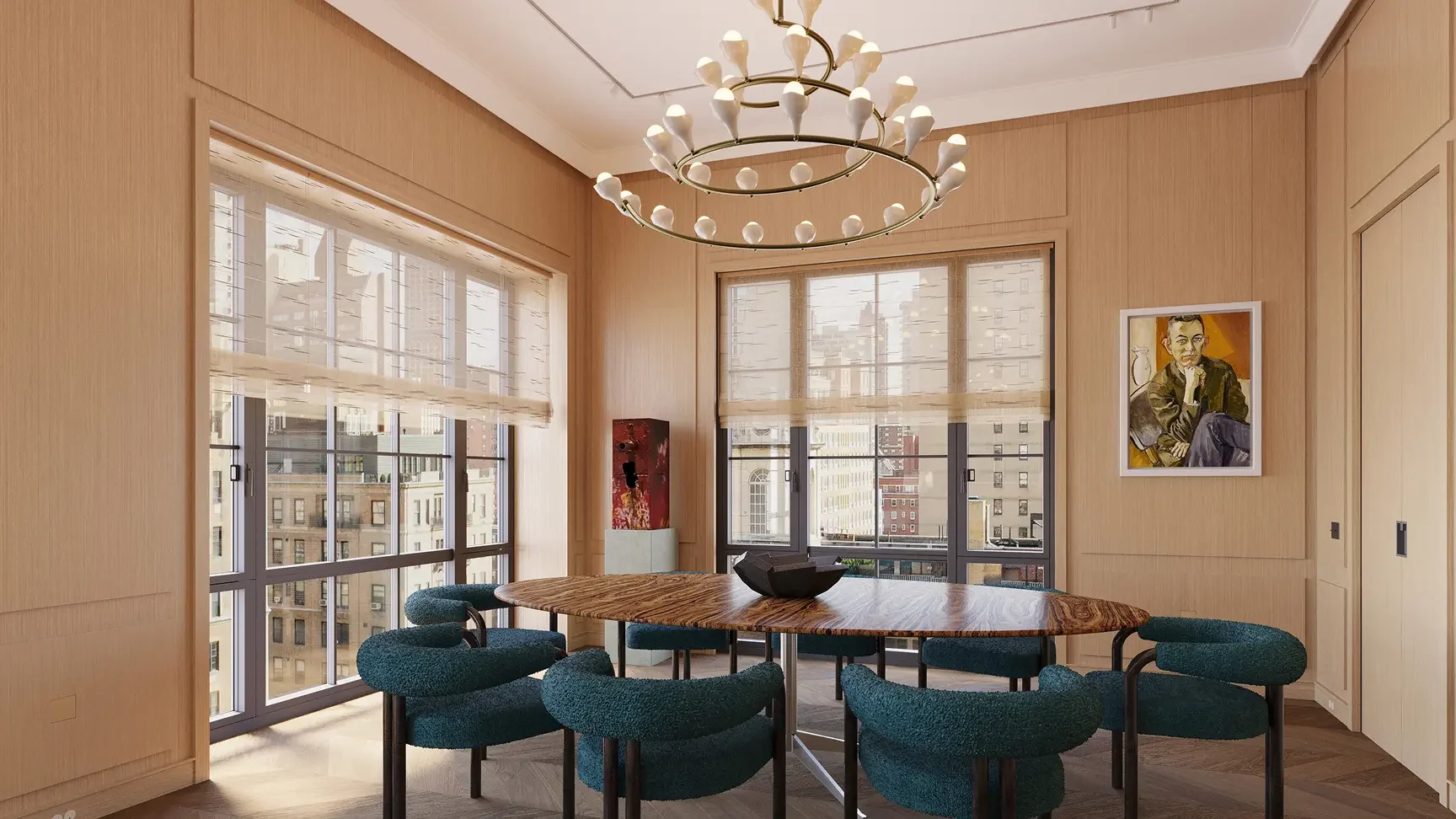
From the mist-veiled mystique of countryside villas to the cutting-edge aspirations of NYC skyscrapers, every aspect of modern architectural visualizations is fundamentally shaped by the rendering software behind it.
While most platforms offer basic control over lighting, material, and composition, advanced rendering software distinguishes itself in specialized niches, such as real-time navigation and high-fidelity rendering. In the increasingly competitive landscape of architectural visualization, here are the 9 best rendering tools that can give you a competitive edge.
What is Architectural Rendering Software?
Architectural rendering software refers to a range of digital platforms and tools used to create high-quality architectural visuals, including stylized interior design images, high-fidelity animations, and interactive visualizations. These visual representations are used across a wide range of industries and play a critical role in the design process, client presentations, and marketing materials.
Top 9 Architectural Rendering Software in 2026
Here is a quick overview of the leading 9 architectural rendering software tools and their unique specializations:
- Autodesk 3ds Max: Widely used for 3D modeling and rendering, 3ds Max is a powerful software platform known for its extensive set of lighting and texturing tools and educational resources, producing breathtaking, photorealistic visualizations.
- Blender: A completely free, open-source creation suite, Blender is a powerhouse in the industry, offering end-to-end capabilities from modeling to animation. One of its key advantages is its user-driven library of add-ons and support for both real-time and ray-traced rendering workflows.
- Lumion: Lumion is renowned as a real-time visualization software excelling in fast, atmospheric exterior rendering, with dynamic environmental effects, such as landscapes and weather, offering seamless integration with other software tools for 3D modeling.
- SketchUp (with V-Ray): A widely adopted combination in architectural visualization, SketchUp enables fast, intuitive modeling with its 3D Warehouse of pre-made components, while V-Ray delivers photorealistic results with advanced customization.
- Enscape: Compatible with major programs such as Revit and SketchUp, Enscape provides a user-friendly interface, enabling real-time rendering that breathes life into stills, animations, and virtual reality (VR) applications.
- Corona Renderer: Corona Renderer integrates seamlessly with other software, such as 3ds Max, producing exceptional, high-fidelity renders, with special emphasis on impeccable lighting realism and accurate shadows.
- Twinmotion: Built on Unreal Engine, Twinmotion offers smooth integration with leading 3D modeling tools such as SketchUp and Revit, and emerging AI tools. Renowned for its fast performance, Twinmotion is most often used to streamline modern workflows for animation and large-scale landscape visuals.
- Unreal Engine: Unreal Engine is a powerful real-time 3D renderer that is increasingly being adapted as an alternative to 3ds Max and Cinema 4D, often used for architectural stills, animations, as well as virtual reality applications.
- Maxon Cinema 4D: Widely used across design and motion graphics industries, Maxon Cinema 4D is known for its intuitive workflow and powerful animation tools. It is particularly valued for producing stylized architectural visualizations and high-end motion graphics sequences.
How To Choose the Right Architectural Rendering Software?
The best software for your project depends on a wide range of factors, including complexity, existing workflows, and fidelity level.
- Project Requirements: For large-scale projects or plans involving technical specifications, such as detailed mechanical parts or energy efficiency analysis, look for advanced rendering software that lets you retain full control over design accuracy.
- Workflow Integration: Check for compatibility with existing software and design intent before choosing a rendering provider.
- Pricing: Choose a renderer that balances high-quality output, fast rendering, and your project budget.
- Fidelity Level: Evaluate whether the software is suited for your required resolution, whether you need quick renders for early design ideas or polished, market-ready visuals.
- Ease of Use: Consider whether the software offers an intuitive interface or a steep learning curve that may require more time to master.
- Hardware Requirements: Ensure that your rendering software is supported by sufficiently powerful hardware to handle demanding rendering workloads efficiently.
Comparing the Best Architectural Rendering Software (2026)
Autodesk 3ds Max
Widely considered the industry standard, Autodesk 3ds Max is one of the most powerful modelers for high-end architectural visualizations, especially when paired with renderers such as Corona or V-Ray. From crafting ultra-detailed 3D furniture models to breathtakingly intricate exterior visuals, 3ds Max gives you complete creative control over every detail, including lighting, reflections, and materials, and offers a vast library of plugins and assets.
However, many renderers note that 3ds Max comes with a steep learning curve, especially when you’re unfamiliar with its interface. Pairing 3ds Max with Corona or any CPU-based renderer often results in slow render times, and as one of the costlier programs in this list, it may not be the most accessible option to beginners or those on a tighter budget.
Who is Autodesk 3ds Max for?
Autodesk 3ds Max is ideal for advanced users who prioritize high-quality, ultra-realistic renders over all other factors. For beginners who are willing to take the time to learn 3ds Max, it can be a powerful tool for creating professional-level 3D visuals, especially in architecture, interior design, and game environments.
However, do keep in mind that the program comes with a hefty price tag, so it may not be the best choice if you’re working with a tight budget.
Blender
As a free, open-source tool, Blender is a highly popular software for architectural visualization, offering robust modeling, rendering, and animation capabilities. From a user’s perspective, one of Blender’s core strengths is its vast ecosystem of community-driven assets and add-ons, most of which are free or low-cost. Its incredible versatility also enables seamless adaptation to diverse applications, from 3D interior renders to detailed aerial stills.
Despite these advantages, Blender is often considered to have a steep learning curve, typically requiring considerable time and practice to produce high-quality renders. It is also most often used by freelancers, independent designers, and occasionally smaller studios, while larger studios tend to rely on more established programs, such as 3ds Max and Cinema 4D.
Who is Blender for?
Blender is a strong choice for budget-conscious renderers who are prepared to spend extra time polishing their renders. Its adaptability, customizable workflows, and expansive add-ons make it perfect for freelancers and independent creatives, but it may not be best suited for larger studios handling large-scale projects on tight production timelines.
Lumion
Lumion is a real-time architectural visualization tool that specializes in producing fast, visually appealing renders and is often paired with modeling software such as Revit and SketchUp. Compared to other programs, Lumion is described as one of the easiest rendering tools to learn, with an intuitive interface and decent asset library, allowing users to create exterior renders, animations, and quick design presentations in just a few clicks.
Despite its accessibility, many have found that Lumion lacks the control and precision of other programs, resulting in renders that look lackluster and ‘game-like’ without extensive post-production work. Other concerns touch on the pricing of Lumion Pro and heavy hardware requirements, which may limit its accessibility for freelancers and smaller studios.
Who is Lumion for?
Lumion works best for designers and architects who need fast iterations and have short project turnaround times. Its real-time visualization workflow can also facilitate informed decision-making and better communication between teams, helping to catch early mistakes to prevent costly changes downstream.
For those planning to use Lumion to create a polished final product, it is important to consider the additional costs and time required for modeling and post-production, as Lumion offers limited control over finer details.
SketchUp (with V-Ray)
Among architectural modeling tools, SketchUp is widely regarded as intuitive and easy to learn, and can be paired with V-Ray for fast and intricate interior, exterior, and aerial renders. Its strength lies in its modeling speed and efficiency, allowing users to easily iterate on designs and communicate ideas. The resulting models integrate seamlessly with V-Ray, enabling better control over lighting, textures, and atmosphere for photorealistic visuals.
Despite its efficiency, if you require extremely expedited renders, other engines such as Enscape and Twinmotion can offer faster, real-time workflows, albeit with a trade-off in lower visual fidelity. V-Ray, in particular, has a steep learning curve and is more hardware-intensive, but delivers high-end outputs that compete at the top end of the industry.
Who is SketchUp (with V-Ray) for?
When paired together, the SketchUp and V-Ray production pipeline works best for users who need fast, yet exquisite renders. Individually, SketchUp is a good choice for beginners to 3D modeling with an intuitive interface and a large asset library. On the other hand, V-Ray plugs in seamlessly with various programs and is ideal for professionals seeking production-level photorealism for their projects.
Enscape
Similar to Lumion, Enscape is a real-time visualization tool that excels at accelerating workflows with stunning renders, seamlessly plugging in from prominent BIM and CAD software, such as Revit and SketchUp. One of its greatest advantages is its intuitive and effortless rendering workflow, delivering instantaneous and presentation-ready designs that make it practical for daily use.
However, like many real-time renderers, some users have noted that Enscape has an invisible quality ceiling, where visual output may not achieve the same level of realism or creative flexibility as other, more hands-on software. Depending on your budget and project complexity, Enscape’s pricing and import/export system may also feel limiting, especially if you require extensive customization or advanced rendering control.
Who is Enscape for?
Enscape is perfect for fast-paced projects, saving time through its efficient real-time visualization pipeline. For companies or freelancers who primarily work with a single modeling software, Enscape integrates seamlessly into existing workflows, seamlessly importing models for quick renders.
If you’re looking to craft virtual or augmented reality (VR or AR) walkthroughs, Enscape is widely regarded as one of the best tools in the industry, enabling real-time explorations of models and spaces.
Corona Renderer
Widely regarded as the industry standard alongside 3ds Max, Corona Renderer is one of the most powerful rendering applications on this list, creating richly nuanced interior and exterior real estate renders. From a user’s perspective, Corona offers a near-limitless quality ceiling, using ray-tracing and drawing from Cosmos, a large ecosystem of assets such as materials, furniture, and materials, to render ultra-photorealistic visuals.
However, as a CPU-based program, Corona typically has longer render times when compared to GPU-based alternatives, such as Enscape and Lumion. It is also difficult to incorporate into more diverse production pipelines, as it does not function as a standalone application and only supports two host programs, which are 3ds Max and 4D Cinema.
Who is Corona Renderer for?
Corona Renderer is ideal for architects and interior designers who prioritize quality above all, as well as those who are using or are planning to incorporate 3ds Max into their project pipeline. For users who are comfortable with importing assets, it’s also possible to expedite production by creating models in SketchUp and completing the final renderings in Corona.
Beginners may find that Corona has a moderate learning curve, but when paired with the high technical complexity of 3ds Max or 4D Cinema, the overall workflow may be challenging for new users.
Twinmotion
Built on Unreal Engine, Twinmotion is a popular real-time visualization renderer with basic modeling functions. Users often highlight ease of use with its fast rendering, accurate path tracing, and seamless integration with other tools, producing presentation-ready stills and walkthroughs. It is also free for students and companies earning under $1 million annually, with built-in access to extensive asset libraries from Quixel Megascans and Sketchfab.
One of Twinmotion’s biggest disadvantages is its quality ceiling. In comparison to visualizations produced through a 3ds Max-Corona Renderer workflow, Twinmotion’s output may be simpler or have a vague cartoon-like appearance, requiring additional post-production work to achieve highly photorealistic results. Users would also require a robust hardware setup to fully utilize Lumen and its ray-tracing capabilities.
Who is Twinmotion for?
Twinmotion is perfect for users who require fast, atmospheric renders, have diverse production pipelines with various programs, or need an efficient way to create visual presentations. Twinmotion is also suitable for beginners, as it offers an intuitive user interface and a lower learning barrier than other programs.
Unreal Engine
Initially developed for game development, Unreal Engine’s high-performance real-time 3D rendering is increasingly adopted in architectural visualization as a strong alternative to traditional renderers such as Corona. Its core strengths include its in-built Lumen and Nanite tools, full creative control, large asset collection, and compatibility with common BIM tools via plugins, enabling faster workflows for complex, high-fidelity, and interactive scenes.
Despite its strengths, many users agree that Unreal Engine comes with a steep learning curve, requiring highly technical knowledge to use effectively. It is also known to be unstable at times, occasionally crashing or becoming unresponsive, especially when working on unoptimized scenes, leading experienced users to troubleshoot as part of their workflow.
Who is Unreal Engine for?
Unreal Engine works best for more experienced or technically proficient users working on large-scale or interactive projects. It is particularly suited for users who require real-time rendering, high levels of visual control, and interactive functionality such as walkthroughs or simulations.
Maxon Cinema 4D
As a high-end modeling tool, Maxon Cinema 4D offers a wide range of tools that support various niches in architectural visualization, such as motion graphics and scene setup. While it has a much smaller user base than 3ds Max or Blender, Cinema 4D is known for having the most intuitive UI among these programs. Many artists also highlight its fast, photorealistic results and seamless integration with Corona Renderer, Redshift, and Octane.
However, Cinema 4D follows a costly subscription-based model, which can be expensive for smaller studios or freelance users. Some users have also found its workflow and toolset to be more specialized and less versatile compared to 3ds Max and Blender’s broader range of applications.
Who is Maxon Cinema 4D for?
Maxon Cinema 4D is a strong choice for designers focused on motion graphics-driven architectural visualizations and who prioritize a smooth, creative workflow. It is particularly well-suited for artists working on presentation-heavy projects that require fast iteration, animation, and polished visual storytelling.
Alden Studios: The Missing Piece In Your 3D Visualization Pipeline

From intricate architectural drafting and 3D rendering services to high-fidelity walkthroughs and VR applications, Alden Studios integrates seamlessly into your existing workflow with minimal disruptions.
By partnering with us, you gain the support of a dedicated, international team of over 40 professionals who deliver presentation-ready visualizations and scale effortlessly alongside the demands of your project. Backed by our proprietary paradigital™ system, we are proficient in a diverse workflows, whether you require photorealistic renders in 3ds Max and Corona, rapid design iterations in SketchUp, or real-time experiences in Twinmotion.
With Alden’s responsive 24-hour production pipeline and consistent visual quality, you can extend your team's capabilities without the overhead of additional software licenses, recruitment, or training – all at the cost of one extra team member.